Blender Startup
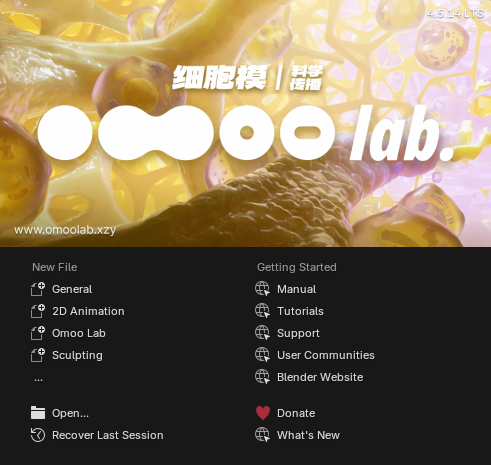
Blender Startup is OmooLab's startup solution for Blender. It currently provides the Omoo Lab Application Template. It gives you a set of prepared Workspaces, Preferences, and shortcuts as soon as Blender opens, reducing repeated setup and helping users coming from other DCCs get up to speed quickly.
Sensible by Design
Purpose-built Workspaces
Omoo Lab organizes Workspaces around common production needs: one layout for one kind of work, with a dedicated space for each purpose.
- Layout for fast scene setup
- Geometry Nodes geometry sandbox
- Shading material sandbox
- Compositing post-production and backgrounds
- Drawing GP canvas
- Demo for presentation
Industry-compatible shortcuts that take the best of both
Refined Industry Compatible keeps Blender's core feel, including G / S / R and MMB navigation, while adding navigation familiar from other DCCs with ALT + LMB / MMB / RMB and Transform tools on W / E / R. Blender users do not have to give up their existing habits, and users coming from other DCCs can rely on the experience they already have.
There are many more well-designed shortcuts.
Ready-to-use remote asset libraries and extensions
Makes useful node groups available right away.
Download and Installation
Download the matching LTS release
Download the package that matches your Blender version from Releases. Do not unzip it.
- Blender 4.5 LTS:
BlenderStartup.v<version>.b45.zip - Blender 5.2 LTS:
BlenderStartup.v<version>.b52.zip
Install the Application Template
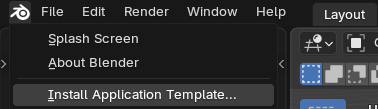
Click the Blender icon in the top-left corner, choose Install Application Template..., then select the ZIP file you downloaded.
Change Your Startup Habits
Enter the app before you work
After restarting Blender, select Omoo Lab from the splash screen.
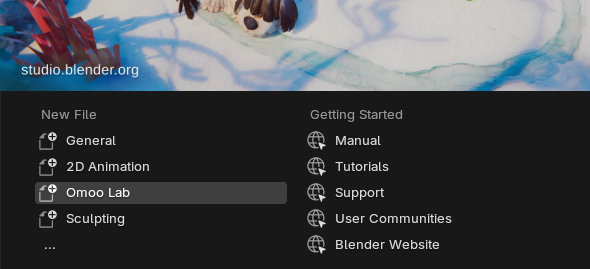
Or use File > New > Omoo Lab.
Select the keymap
The keymap preset must be enabled manually: go to Edit > Preferences > Keymap > Preset and select Refined Industry Compatible.
Launch Directly as an App
Create a Blender shortcut. Right-click it, open Properties, and append --app-template Omoo_Lab to the Target field.
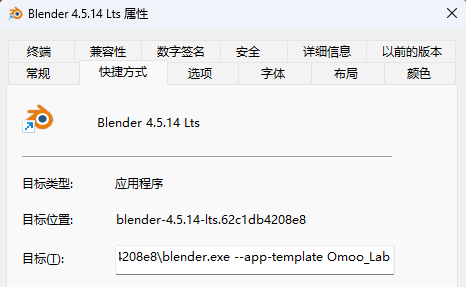
After that, double-clicking the shortcut opens the Omoo Lab Application Template directly, without going through template selection.